
 Written by
The fear I hear most from small business owners about AI chat is simple: what if it tells a customer something wrong? A price you don’t charge. A service area you don’t cover. A refund policy you never had.
It’s a fair fear. A general AI model will happily fill gaps with confident guesses. But an assistant that answers only from your own website is a very different thing, and setting one up well comes down to a handful of decisions. I’ve helped set these up for small businesses, and these are the steps that matter.
1. Decide what it should answer, and what it shouldn’t
Start with a list, not a tool. Open your inbox, texts and messages from the last month and sort the questions. For most small businesses they fall into a few groups: prices, hours, service areas, how booking or ordering works, how long things take, and policies like cancellations or returns.
Mark which ones have a clear, written answer on your website. Those are what the assistant should handle. Anything that needs judgment, like a complaint, a refund dispute or a custom quote, should come to you.
2. Fix your pages before you add the assistant
An assistant can only be as accurate as the pages it reads. Before switching anything on, check three things:
- Your pricing, policies and service area are written down with real numbers: costs, days, distances, conditions.
- Your service or product pages answer what people actually ask, such as what’s included, how long it takes, and what customers need to prepare.
- Old offers, discontinued services and outdated hours are removed or clearly marked.
This step alone often fixes half the questions customers were sending you, because the answer was never written down.
3. Ground it in your website, not the whole internet
When you compare tools, ask one question: where do the answers come from? You want an assistant that reads your own pages and answers from them, rather than one that answers from general knowledge with your logo on top.
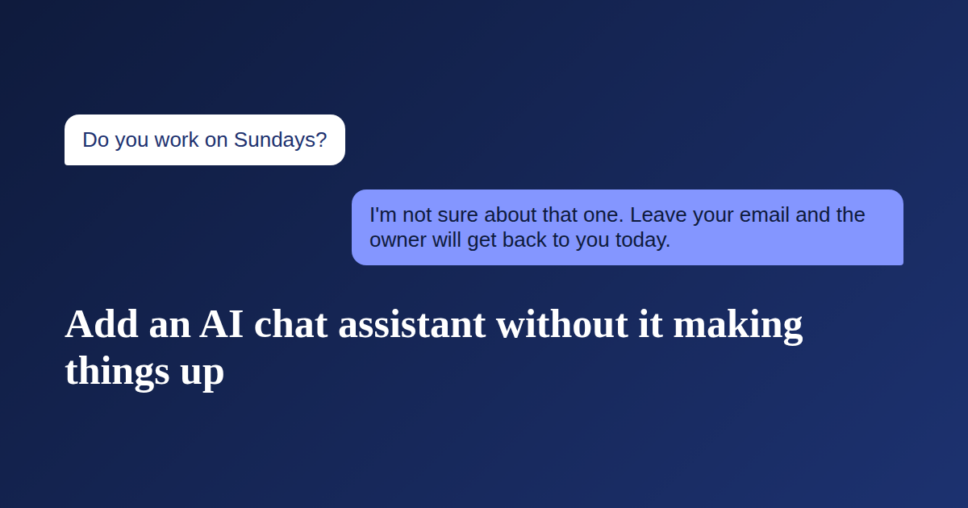
A quick test works on any tool. Ask it something your business doesn’t do, like “Do you work on Sundays?” if you don’t, or “Do you offer financing?” if you don’t. A well grounded assistant says it isn’t sure and offers to pass the question to you. One that invents an answer will do the same with real customers.
4. Make “I don’t know” a feature
The best thing an assistant can say, when it doesn’t have the answer, is something like: “I’m not sure about that one. Leave your email and the owner will get back to you today.”
That turns a dead end into a lead. Check that your tool can do two things: admit when it doesn’t know, and collect the visitor’s contact details when it can’t help.
5. Get every lead in a place you already check
A lead sitting in a dashboard you never open is a lost sale. Before you go live, decide where conversations and contact details land: your email, a phone notification, a spreadsheet or your customer list. Then send a test question yourself and make sure it arrives.
Evening and weekend questions matter most here. Those are the hours when a customer with one question will otherwise hire or buy from whoever answers first.
6. Test it like a difficult customer
Spend fifteen minutes trying to break it before customers do. Good test questions:
- The question you get most often, phrased the way customers actually type it, typos included.
- A question in another language, if you serve customers who speak one.
- Something your business doesn’t offer.
- A complaint: “You were supposed to come yesterday.”
- A request for a discount.
Write down any wrong or awkward answers, then fix the page it should have read, or teach the assistant the correct answer directly if your tool allows it.
7. Review weekly for the first month
For the first few weeks, read the conversations once a week. You’re looking for two things: questions it couldn’t answer, and questions you didn’t expect.
The unanswered ones tell you which pages to improve. The unexpected ones are often the most valuable thing you’ll learn, because they show what customers want to know before they hire you and can’t find.
What it costs, and what to watch for
You don’t need an enterprise plan. Several assistants now cost less per month than a few hours of part-time help. When comparing, check what each plan counts (conversations or messages), whether removing the vendor’s branding costs extra, and whether getting leads sent to you is included or sold as an add-on.
The short version
- List the questions you actually get.
- Put clear answers on your website.
- Choose an assistant that answers only from your site.
- Make sure it admits what it doesn’t know and collects contact details.
- Send leads somewhere you already look.
- Test it like a tough customer.
- Read the conversations weekly for a month.
Done this way, an AI assistant stops being a risk and becomes the helper who never misses an after-hours question.